
How to Check if a Website or Short Link Is Legit Before Clicking (Free Safety Checker Guide)
Received a suspicious URL or shortened link? Learn how to safely expand short links, run free security scans, spot phishing red flags, and verify any website before you click.
A single careless click on a disguised link is still one of the fastest ways scammers steal passwords, install malware, or hijack accounts. Whether it arrives in a WhatsApp forward, an urgent delivery SMS, a comment section, or an unexpected email, a shortened link hides its true destination—making it impossible to judge at a glance.
The good news is you never have to guess. With a few free link safety checkers and a 30-second manual inspection habit, you can reveal where any short link leads and verify whether a website is legitimate before your browser ever loads it.
Why Short Links Need an Extra Layer of Caution
URL shorteners are essential for clean social posts, printed QR codes, and campaign tracking. However, because a short link replaces a full web address with a compact slug, attackers sometimes abuse public shorteners to mask:
- Phishing login pages that imitate banks, email providers, or payment apps
- Drive-by downloads that push malicious files onto mobile or desktop devices
- Redirect chains that bounce visitors through multiple shady ad networks or scam storefronts
- Lookalike domains designed to trick people who skim URLs on small phone screens
Checking a link before opening it takes less time than recovering a compromised account.
5 Free Ways to Check if a Website or Short Link Is Legit
1. Expand the Short Link Without Opening It
Never open a suspicious short link just to "see what it is." Instead, copy the link carefully:
- On desktop: Right-click the link and choose Copy link address (or hover over it to preview the URL in the bottom corner of your browser).
- On mobile: Press and hold the link until the context menu appears, then tap Copy link.
Once copied, paste it into a free URL expander (such as CheckShortURL or WhereGoes). These tools follow the redirect server-side and display the final destination URL, along with every intermediate hop in the redirect chain, without exposing your device.
2. Scan the Destination URL With a Free Link Safety Checker
After revealing the full web address, run it through an established reputation scanner. No single database catches every brand-new scam site, so checking one or two of these free tools gives you far stronger coverage:
| Free Safety Checker | Best For | What It Checks |
|---|---|---|
| Google Safe Browsing (Transparency Report) | Everyday phishing and malware checks | Flags sites known for social engineering, deceptive logins, and unwanted software |
| VirusTotal | Deep multi-engine verification | Scans a single URL against 70+ security vendors and blocklists at once |
| URLScan.io | Visual inspection without visiting | Loads the page in a remote sandbox and shows you a screenshot, IP address, and outgoing requests |
| NordVPN Link Checker / Norton Safe Web | Quick consumer safety verdicts | Checks domain reputation, scam reports, and known phishing signatures |
If even one reputable engine flags the page as phishing or malicious—or if a URLScan screenshot shows a generic login form asking for banking details—close the tab and delete the message.
3. Inspect the Root Domain for Typosquatting
Scammers rarely use random gibberish anymore. Instead, they register domains that look nearly identical to trusted brands. When you read a URL, always look immediately to the left of the first single forward slash (/):
- Fake:
[https://paypal-security-update.com/login](https://paypal-security-update.com/login)(The actual domain ispaypal-security-update.com, not PayPal.) - Fake:
[https://paypa1.com/verify](https://paypa1.com/verify)(Uses the number1instead of the letterl.) - Fake:
[https://google.com.account-verify.net/signin](https://google.com.account-verify.net/signin)(The real domain isaccount-verify.net;google.comis only a subdomain.) - Real:
[https://accounts.google.com/signin](https://accounts.google.com/signin)(The root domain isgoogle.com.)
Pay extra attention to unusual top-level domains (like .xyz, .top, .click, or .icu) when a message claims to come from a major bank, government agency, or courier service.
4. Check Domain Age and Website Footprint
Most phishing and fake e-commerce sites are created hours or days before a scam campaign launches. You can paste any domain into a free WHOIS lookup (such as lookup.icann.org) to check its registration date.
Ask yourself three quick questions:
- Was the domain registered in the last few days? A "well-known brand" or "official support portal" should not have a 48-hour-old domain.
- Does it have a real search footprint? Search
"domainname.com" scamor"domainname.com" reviewsin Google. Legitimate businesses leave a trail of mentions, social profiles, and independent reviews. - Is there real contact information? Look for a verifiable physical address, working customer support channels, and clear privacy policies—not just a generic contact form.
5. Don’t Rely on the HTTPS Padlock Alone
One of the biggest myths in online safety is that https:// means a website is trustworthy. HTTPS only proves that the connection between your browser and that server is encrypted—it does not verify who owns the site. Today, free SSL certificates are easy to obtain, and the majority of active phishing websites use HTTPS. Treat a missing HTTPS connection as a red flag, but never treat a padlock icon as proof of legitimacy.
Quick Red-Flag Checklist: Signs a Link Is a Trap
Even if a brand-new scam URL hasn't hit security blocklists yet, context usually gives it away. Stop immediately if you notice:
- Artificial urgency: "Your account will be suspended in 2 hours," "Final delivery attempt," or "Claim your prize now."
- Mismatched sender and domain: An email claiming to be from your bank that links to a third-party file host or unrelated domain.
- Unexpected payment or OTP requests: Legitimate services do not ask you to verify an account by entering a one-time passcode or card PIN through a random short link.
- Multiple shady redirects: Legitimate marketing links may pass through one analytics redirect, not four unrelated domains.
Creating Short Links Your Audience Actually Trusts
If you are a marketer, creator, or business owner sharing links on WhatsApp, Instagram, LinkedIn, or print materials, link trust directly impacts your click-through rate. People hesitate to click anonymous, random character strings—and rightfully so.
Here is how you can make your own short links visibly trustworthy using Go Bit Url:
- Use descriptive custom aliases: Replace cryptic strings with clear, readable slugs like
gobiturl.com/summer-saleorgobiturl.com/event-rsvpso visitors know what to expect before they tap. - Rely on spam-checked infrastructure: Every link shortened on Go Bit Url is backed by built-in spam checking and an active Report a link channel to keep abuse off the platform.
- Protect private links with passwords: Sharing internal docs, client drafts, or private invites? Add a password to any short link so only intended recipients can reach the destination.
- Set automatic expiration dates or click limits: Prevent old campaign links from lingering indefinitely by scheduling them to switch off after a specific date or click count.
- Pair links with branded QR codes: Turn any short link into a customizable QR code (with your own logo, colors, and call-to-action text) so offline audiences can scan with confidence.
What should I do if I already clicked a suspicious link?
Close the tab immediately and do not enter any personal information or download anything. If you already typed a password, change it right away on the official website (and anywhere else you reused that password), enable two-factor authentication, and run a security scan on your device.
Want cleaner, safer short links people feel confident clicking? Try Go Bit Url for free—create custom aliases, branded QR codes, password-protected links, and expiring URLs with real-time analytics in seconds.
Frequently asked questions
Can you get a virus just by clicking a link?
In most cases, modern browsers block automatic malware installation, and scammers rely on tricking you into typing credentials or downloading a file. However, unpatched browsers or outdated mobile operating systems can still be vulnerable to exploit kits, which is why scanning unknown links first is always the safest approach.
How do I check a short link on my phone without opening it?
Press and hold the short link to copy the URL without triggering a tap. Then open your browser, visit a free URL expander or scanner like VirusTotal or Google Safe Browsing, and paste the copied link to inspect the final destination safely.
Are URL shorteners safe to use?
Yes—reputable URL shorteners are completely safe tools used daily by businesses, publishers, and creators. Risk comes from who created the link and where it redirects. Using a spam-checked shortener with custom readable aliases like Go Bit Url helps both senders and recipients stay safe.
How do I check if a QR code link is safe before opening it?
Most modern smartphone cameras show a URL preview banner when you point them at a QR code—never tap the banner automatically. Read the domain first, or copy the previewed URL and paste it into a free link safety checker like VirusTotal or Google Safe Browsing. Be especially cautious with random QR stickers placed over existing signs in public spaces or unsolicited payment QR codes.
What is the difference between a URL expander and a link safety checker?
A URL expander (or unshortener) reveals the hidden destination address and redirect chain behind a short link, while a link safety checker scans that destination against security blocklists, phishing databases, and malware engines. For maximum safety, expand the short link first, then scan the full destination URL.
Can a free link safety checker miss a brand-new scam website?
Yes. Scammers frequently register fresh domains and launch phishing pages that stay live for only a few hours—before security vendors have time to flag them. That is why you should combine automated scanners with manual checks like verifying the root domain spelling, checking domain age via WHOIS, and watching for urgent or unexpected requests.
How can I tell if an online shopping website is legit or a scam?
- Domain age: Very new domains claiming to be major clearance outlets are a common red flag.
- Unrealistic discounts: Prices 70–90% below market value on high-demand items usually indicate a fake store.
- Payment options: Legitimate stores offer standard, refundable payment methods rather than forcing direct bank transfers or crypto only.
- Independent reviews: Search the store name plus "reviews" or "scam" on Google, Reddit, or Trustpilot.
- Return policy and contact details: Verify that there is a real business address, working support email, and clear refund terms.
Why do scammers use URL shorteners?
Attackers abuse public shorteners to hide suspicious domain names, disguise affiliate or tracking parameters, and slip past basic email or SMS spam filters. However, short links themselves are not dangerous—legitimate brands use them every day for cleaner social posts, print campaigns, and click analytics.
How do I check a suspicious link in WhatsApp or SMS without clicking it?
On WhatsApp, press and hold the message bubble, copy the text, and extract the link into a browser-based URL scanner—avoid tapping link preview cards from unknown numbers. On SMS, long-press the link (or the entire text message) to copy it, then paste it into a free checker without letting your phone's browser open it directly.
Are free URL safety checkers safe to use?
Yes. Reputable tools like Google Safe Browsing, VirusTotal, and URLScan.io inspect links on their own isolated servers, not on your device. Just make sure you are visiting the official checker website and never download third-party browser extensions or "cleaner" apps that claim you need them to scan a link.
How do I report a suspicious or abusive Go Bit Url link?
If you ever come across a shortened link on gobiturl.com that leads to phishing, spam, or malicious content, copy the short link without visiting it and submit it through the Report a link page in the footer of Go Bit Url. Reporting abusive links helps keep the platform safe for everyone.
Keep reading
More stories you might like.
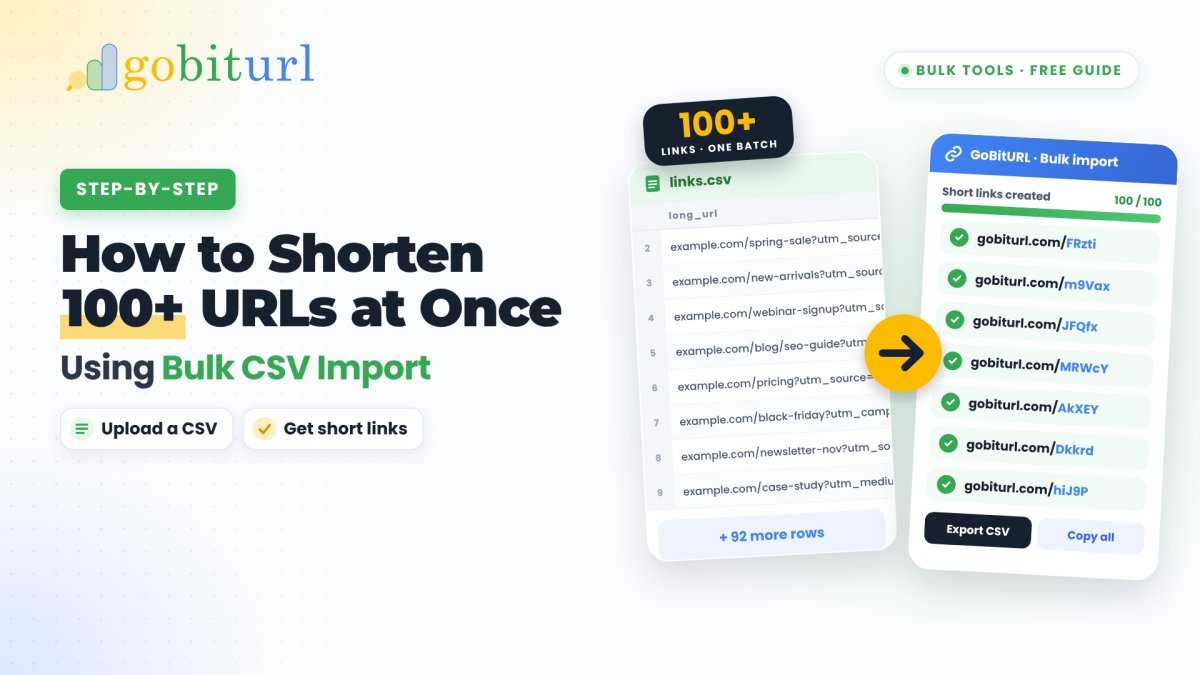
How to Shorten 100+ URLs at Once Using Bulk CSV Import (Free Guide)
Manually shortening URLs one by one wastes hours during product launches, SMS blasts, and e-commerce catalog updates. This guide shows marketing and operations teams how to prepare a clean CSV file, shorten hundreds of links simultaneously for free with GoBitURL, and export a ready-to-use campaign sheet.
GoBitURL vs. TinyURL vs. Rebrandly: Best Free URL Shortener with Analytics (2027)
Looking for a free URL shortener with real click analytics in 2027? Compare GoBitURL, TinyURL, and Rebrandly on free limits, tracking features, custom aliases, and ease of use.
Is This Link Safe? 7 Red Flags of Phishing URLs and Fake Shopping Sites
Clicking the wrong link can expose your passwords, banking details, or card information in seconds. Learn how to spot 7 common red flags of phishing URLs and fake shopping websites—and how to verify any link safely before you click.
Enjoyed this? Try the tool.
Shorten links, make QR codes and see who clicks — free.
0 Comments
Be the first to comment.
Leave a Comment