
How to Use Expiry Date Links for Events and Festive Sales in India
Hosting a webinar, college fest, or Diwali flash sale? Learn how setting an expiration date on your short links creates urgency, boosts conversions, and saves your brand from dead-link embarrassment.

Picture this: You organize a massive Diwali flash sale for your D2C brand, or you host an exclusive weekend masterclass for students across Mumbai, Delhi, and Bengaluru. You blast the registration link across WhatsApp groups, Instagram stories, and SMS campaigns. The event is a massive hit!
Fast forward two weeks. Someone scrolls up in a WhatsApp group, clicks that old link, and lands on a broken registration page—or worse, claims a 50% discount code that was only meant to last for 24 hours.
In India’s fast-paced digital ecosystem, links live forever in forwarded WhatsApp messages and old emails. That is why smart marketers, event organizers, and educators are switching to expiry date links.
With GoBitURL, you can take complete control over the lifespan of your links. Here is why setting an expiration date on your event URLs is a game-changer for Indian businesses—and how you can set one up in seconds.
What is an Expiry Date Link?
An expiry date link (also known as a temporary link or self-destructing URL) is a shortened link that only works until a specific date and time—or until it reaches a maximum number of clicks.
Once the deadline passes, anyone who clicks the link is either shown a custom "Event Ended" message or automatically redirected to a fallback URL of your choice (such as your main website or a waitlist page for your next event).
Why Event Organizers and Marketers in India Need Expiring Links
India has one of the most active social and mobile-first audiences in the world. When a good deal or a popular event link drops, it gets forwarded across hundreds of WhatsApp communities, Telegram channels, and Instagram DMs within minutes. Here is how expiring links help you stay in control:
1. Create Genuine Urgency (FOMO) During Festive Sales
Whether it is a Diwali Dhamaka Sale, an Independence Day Clearance, or an End-of-Season Flash Sale, Indian shoppers love a timely bargain. When your audience knows a link will literally deactivate at midnight IST, procrastination disappears. Expiring links turn passive browsers into immediate buyers.
2. Protect Exclusive Webinars and Live Sessions
If you are an ed-tech creator, coach, or corporate trainer hosting a live session on Zoom or Google Meet, you don't want your meeting link floating around after the session ends. By wrapping your meeting URL in a GoBitURL link with an expiry timer, the link automatically shuts down the moment your webinar concludes.
3. Manage Early-Bird Ticketing for Concerts & College Fests
Selling early-bird passes for a stand-up comedy show in Bengaluru, a music festival in Pune, or a national college fest? Instead of manually waking up at midnight to disable your ticketing form or change prices on your website, set your early-bird short link to expire at 11:59 PM—and automatically redirect latecomers to the regular-priced ticket page!
4. Prevent Giveaway & Contest Fraud
Running a quick 48-hour giveaway during the IPL season? Contest links get shared rapidly. Setting a strict time or click limit ensures no one can submit late entries or exploit your giveaway forms after the winners have been announced.
Never Lose a Lead: The Power of the "Expiration Redirect"
The biggest mistake marketers make when an event ends is sending late clickers to a dead 404 Error page. Every person who clicks your link—even if they are two days late—is a warm lead interested in what you offer!
With GoBitURL, when your event link expires, you can automatically redirect that traffic to:
- A "Join the Waitlist" page for your next batch or upcoming event.
- A recorded replay of the webinar they just missed.
- Your main e-commerce store so they can still browse your standard catalog.
- Your Instagram or WhatsApp Channel so they don't miss future updates.
How to Create an Expiry Date Link on GoBitURL (Step-by-Step)
Setting up a time-sensitive link on GoBitURL.com takes less than a minute:
- Log in to your Dashboard: Head over to GoBitURL.com and sign in to your account.
- Paste Your Long Event URL: Enter the destination link for your Google Form, ticketing page, Zoom link, or product checkout page.
- Customize Your Alias (Optional): Make your link memorable and trustworthy for Indian audiences (e.g.,
[gobiturl.com/diwali-vip](https://gobiturl.com/diwali-vip)or[gobiturl.com/tech-summit-26](https://gobiturl.com/tech-summit-26)). - Set the Expiration Date & Time: Open the advanced link settings and select your exact Expiry Date and Time (make sure to align it with Indian Standard Time - IST for local events!).
- Add an Expiration Redirect URL: Paste the fallback link where users should go after the main event link expires.
- Shorten & Share: Click generate and share your smart link across WhatsApp, SMS, LinkedIn, and Instagram bio!
Best Practices for Using Expiring Links in India
- Always Mention "IST" in Your Copy: If your audience spans multiple regions or includes NRIs, clearly mention on your social graphic that the link expires at 11:59 PM IST.
- Combine with Click Limits for VIP Drops: Launching limited-edition merch or 100 free passes? Use GoBitURL to expire the link after the first 100 clicks or by Friday evening—whichever comes first.
- Track Real-Time Analytics: Watch where your clicks are coming from in real time on GoBitURL. If you see a massive surge from mobile users on WhatsApp an hour before expiry, you know your urgency campaign is working!
Ready to Take Control of Your Event Links?
Stop letting outdated links hurt your brand reputation and cost you valuable leads. Whether you are scaling an e-commerce store, managing campus events, or running high-converting digital campaigns across India, GoBitURL gives you the smart link management tools you need to succeed.
👉 Create Your First Expiring Short Link on GoBitURL.com Today!
Frequently asked questions
What happens when someone clicks an expired GoBitURL link?
Depending on your settings, the user will either see a clean notice stating that the link is no longer active, or they will be seamlessly redirected to a secondary URL (like your homepage or waitlist form) that you specified.
Can I extend the expiry date if my event gets postponed?
Yes! Unlike static links, GoBitURL links are dynamic. If you decide to extend your flash sale by 24 hours, simply log in to your GoBitURL dashboard and update the expiration date—no need to change the link you already shared on WhatsApp or Instagram.
Can I set a link to expire based on the number of clicks instead of a date?
Absolutely. This is perfect for "First 50 Customers Only" offers or limited-seat workshops.
Keep reading
More stories you might like.

How to Shorten Event Links to Boost Registrations and Track RSVPs (Complete Guide)
Long, messy event registration URLs look untrustworthy and kill your ticket conversion rates. Discover how shortening your event links with GoBitURL helps you build brand trust, share effortlessly across flyers and social media, and track every single RSVP click in real time.
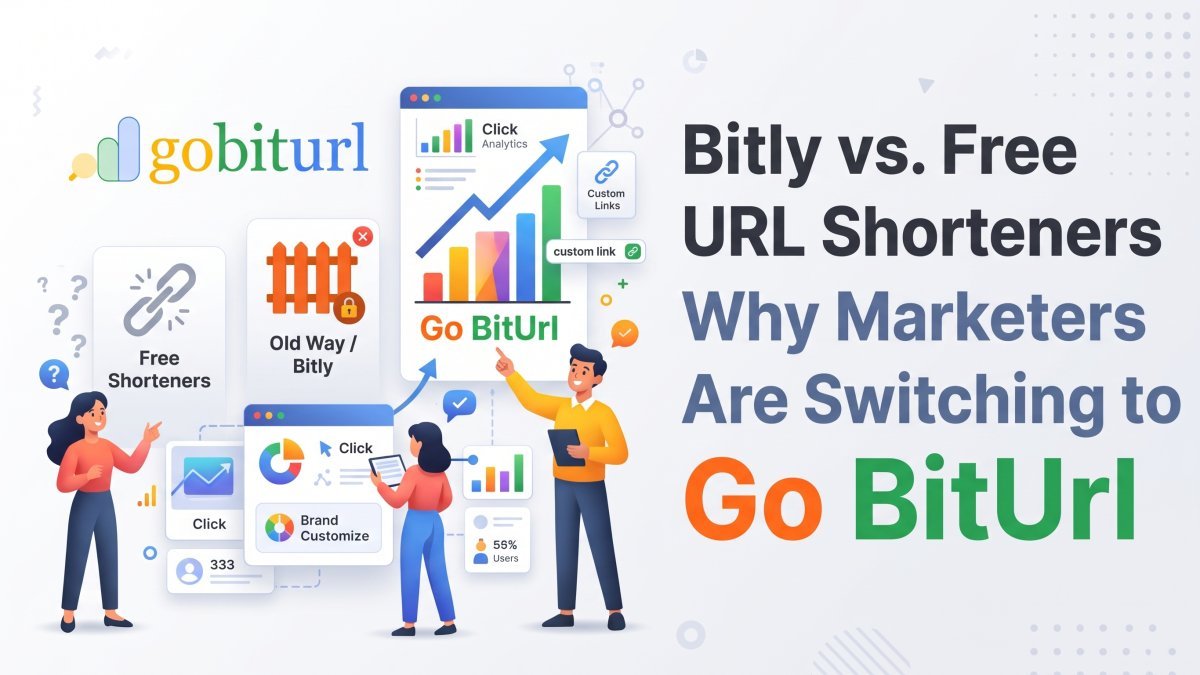
Bitly vs. Free URL Shorteners: Why Marketers Are Switching to Go BitUrl
Bitly used to be the default choice for shortening links, but strict monthly caps and paywalled analytics have changed the game. See how Bitly stacks up against modern free URL shorteners like Go BitUrl—and find out which tool actually gives you the features you need without the enterprise price tag.

What is Claude AI? Complete Guide to Claude Pro, India Subscription Price, Claude Code, Cowork & Certifications
Discover everything about Anthropic’s Claude AI—from Claude Opus 5.5, Sonnet 5.5, and Opus 4.7 to India subscription pricing in INR, Claude Code CLI, Claude Cowork desktop automation, and the official Claude Certified Architect exam. Plus, learn how developers and creators use GoBitURL to manage and protect shared AI workflows.
Enjoyed this? Try the tool.
Shorten links, make QR codes and see who clicks — free.
0 Comments
Be the first to comment.
Leave a Comment