
Why Shortening Your URLs is Essential for Digital Growth in 2026 (And How GobitURL Makes It Effortless)
Long, cluttered web addresses look untrustworthy, break inside messages, and ruin your social media aesthetic. Learn why smart marketers ask "how can I shorten my URL effectively?" and see how GobitURL transforms sprawling links into sleek, high-converting assets in seconds.
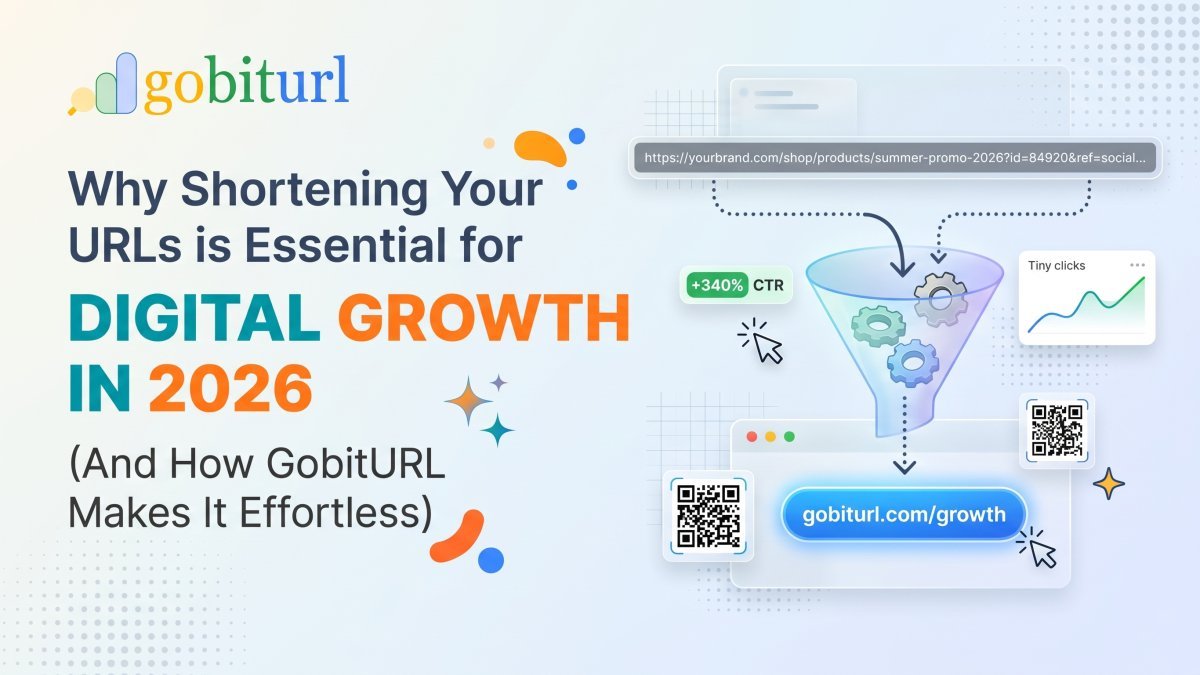
Have you ever tried sharing a link to a product page, a Google Doc, or a marketing campaign, only to paste a four-line monster filled with random letters, numbers, and tracking symbols?
Nobody wants to click a link that looks like a line of broken computer code. In fact, sprawling, messy web addresses actively hurt your brand. They look suspicious to everyday users, get cut off in SMS messages, and clutter up clean social media captions.
When you search for a way to "shorten my URL," you aren't just looking to save a few characters—you are looking to make your links sharper, safer, and easier to share. That is exactly why we built GobitURL.
Here is everything you need to know about how URL shortening works, why it plays a critical role in modern SEO and marketing, and how you can start creating sleek, high-performing links today.
What Does It Actually Mean to Shorten a URL?
A URL shortener is a tool that takes a long, complex web address (your destination URL) and assigns it a compact, easy-to-read alias. When someone clicks the short link, they are instantly and seamlessly redirected to the original page in milliseconds.
For example, instead of sharing a link like this:https://yourstore.com/collections/summer-sale-2026/products/wireless-noise-cancelling-headphones?utm_source=instagram&utm_medium=bio_link
You can run it through GobitURL and turn it into a clean, compact link that fits anywhere—from an Instagram bio to a printed business card.
5 Reasons Why Smart Brands Shorten Every Link They Share
If you are still copying and pasting raw URLs straight from your browser bar, you are leaving clicks and data on the table. Here is how shortening your links changes the game:
1. Higher Click-Through Rates (CTR)
First impressions happen in a split second online. Internet users are more cautious than ever about phishing and spam. A clean, concise link looks intentional and professional, removing hesitation and encouraging more people to click through to your content.
2. Built for Social Media and SMS Marketing
Whether you are posting on X (Twitter), updating your TikTok or Instagram bio, or sending out an SMS promotional blast, space is premium real estate. Short links keep the focus on your call-to-action rather than a wall of blue text.
3. Actionable Click Analytics
When you share a standard raw link on social media or in an email, you are flying blind unless you own the destination website. By using a dedicated URL shortener like GobitURL, every link becomes a data point. You can see how many people clicked your link, which platforms drive the most traffic, and when your audience is most active.
4. Offline-to-Online Marketing Made Easy
Try putting a 90-character link on a podcast shoutout, a flyer, a presentation slide, or product packaging—nobody is going to type it into their phone. A short, memorable link bridges the gap between physical marketing and digital traffic effortlessly.
5. Preserving Your SEO Value
A common myth is that URL shorteners hurt Search Engine Optimization (SEO). The truth is the exact opposite when you use a reliable platform. High-quality shorteners use permanent 301 redirects, which tell search engines like Google that the short link is a direct pass-through to the destination page, preserving link equity while boosting user engagement signals.
How to Shorten Your URL in 3 Simple Steps with GobitURL
We designed GobitURL to remove the friction, clutter, and bloat found on outdated link tools. You don't need technical skills to manage your links like a pro:
- Copy Your Long Destination Link: Grab the URL of the blog post, video, affiliate product, or landing page you want to share.
- Paste It into GobitURL: Head over to https://gobiturl.com and drop your long web address into the shortener box.
- Click Shorten & Share Anywhere: In one click, your compact, ready-to-use URL is generated. Copy it with a single tap and paste it directly into your social posts, emails, or bio.
Best Practices for Sharing Shortened Links
To get the maximum return from every link you shorten on GobitURL, keep these quick tips in mind:
- Pair Your Link with a Clear Call-to-Action (CTA): Don't just drop a link by itself. Tell your audience why they should click and what awaits them on the other side (e.g., "Grab your free checklist here:").
- Use Separate Short Links for Different Channels: Want to know if your LinkedIn audience clicks more than your newsletter subscribers? Create two separate short URLs on GobitURL pointing to the same page so you can compare performance side by side.
- Test Your Link Before Publishing: Always give your newly shortened URL a quick click to confirm your original destination URL didn't have a typo before you pasted it in.
Ready to Clean Up Your Links?
Every link you share is an invitation to your brand. Don't let bulky, broken web addresses stand between your content and your audience.
Whether you are a content creator, an affiliate marketer, a small business owner, or someone who just wants a cleaner way to share links with friends, GobitURL gives you fast, reliable link shortening without the hassle. Visit gobiturl.com today and shorten your first URL in seconds!
Frequently asked questions
How do I shorten my URL for free?
You can shorten any URL for free in seconds using GobitURL. Simply copy the long web address from your browser, paste it into the link shortener box on GobitURL, and click the shorten button. You will instantly get a compact, shareable link—and you can even customize the alias or generate a matching QR code at no cost.
Do shortened URLs hurt my website's SEO?
No, shortened links do not hurt your SEO when created through a trusted platform like GobitURL. Properly configured short links use server-side redirects that pass link equity (ranking power) directly to your original destination URL while keeping user experience fast and seamless.
Do short links created on GobitURL ever expire?
By default, links shortened on GobitURL remain active permanently so your audience never hits a dead end. However, if you are running a limited-time promotion or flash sale, GobitURL gives you full expiration controls to set an exact date or click limit for when the link should deactivate.
Can I create a custom alias instead of random letters?
Yes! Instead of settling for a random string of characters, GobitURL lets you customize the back-half of your link (for example, [gobiturl.com/summer-deal](https://gobiturl.com/summer-deal)). Custom aliases build higher trust with your audience and can boost click-through rates significantly compared to generic short links.
Can I password-protect or bulk shorten URLs on GobitURL?
Absolutely. If you are sharing confidential documents or exclusive member links, you can add password protection directly to your short link. And if you are managing large campaigns, you can use GobitURL’s CSV bulk import and export tools to shorten and organize hundreds of links at once.
Does GobitURL generate QR codes for shortened links?
Yes. Every short link you create on GobitURL can be paired with a dynamic QR code. You can even customize the QR code shapes, colors, and add your own brand logo overlay, making it ready for product packaging, flyers, and event banners.
Keep reading
More stories you might like.
The Ultimate Bitly Alternative for Marketers: Why Smart Brands Are Switching to GoBitURL
Are restrictive link limits and steep pricing tiers holding your marketing campaigns back? Discover why performance marketers, agencies, and growing brands are migrating to GoBitURL—the all-in-one link management and custom QR platform built to maximize click-through rates and campaign ROI.
WhatsApp Link Short Kaise Kare? (Free & Easy Step-by-Step Guide 2026)
Kya aapka WhatsApp chat ya group link bahut lamba aur ajeeb dikhta hai? Janiye GoBitURL ki madad se WhatsApp link ko sirf 10 seconds mein short, clean aur custom kaise banayein.
Best Campaign Tracking Free Tool: How to Track Every Marketing Click in Real Time
Running marketing campaigns without accurate click data is the fastest way to burn through your budget. Discover how to use a all-in-one campaign tracking free tool to build spotless UTM links, cloak ugly tracking parameters behind custom short URLs, and monitor real-time audience analytics without hitting a paywall.
Enjoyed this? Try the tool.
Shorten links, make QR codes and see who clicks — free.
0 Comments
Be the first to comment.
Leave a Comment