
UTM Builder Guide: How to Create & Shorten Trackable Links for GA4 (Instagram vs. WhatsApp Traffic)
Stop guessing where your sales are coming from. Master GA4 campaign tracking and learn how to create, shorten, and track campaign links for free using the GoBitURL UTM Builder.

Imagine launching two massive campaigns: a WhatsApp broadcast to 10,000 customers and a series of Instagram Stories via link stickers. By the end of the weekend, your Shopify or WooCommerce store registers 150 new sales.
You open Google Analytics 4 (GA4) to evaluate which campaign drove the revenue. To your frustration, almost all the WhatsApp sales are grouped under the vague, non-attributable category of "Direct / None" or lumped together with Instagram under general "Organic Social".
Without precise data, you might waste your marketing budget on the wrong channel.
The fix is simple: you need UTM parameters. By attaching hidden tracking codes to your URLs and shortening them so they don’t look like spam, you can see exactly which banner, partner, or message generated every single rupee of revenue.
In this guide, you will learn how to use the GoBitURL free UTM Builder to generate, shorten, and monitor trackable campaign links for GA4.
What Are UTM Parameters? (And Why They Matter for GA4)
UTM (Urchin Tracking Module) parameters are simple snippets of text added to the end of a regular URL. They don’t change where the link goes—they simply act as "digital tags" that tell GA4 exactly how a visitor found your site.
When someone clicks a UTM link, Google Analytics records those tags and populates your "Traffic Acquisition" reports.
A standard UTM-tagged link looks like this:https://yourwebsite.com/product?utm_source=instagram&utm_medium=social&utm_campaign=diwali-sale&utm_content=bio-link
Here are the five standard tags you need to know:
- Campaign Source (
utm_source): The platform sending the traffic (e.g.,instagram,whatsapp,newsletter,facebook). - Campaign Medium (
utm_medium): The marketing channel (e.g.,social,cpc,email,offline-qr). - Campaign Name (
utm_campaign): The name of your specific promotion (e.g.,diwali_sale_2026,spring_clearance). - Campaign Term (
utm_term): Typically used for paid search keywords, or targeting specific audiences. - Campaign Content (
utm_content): Useful for A/B testing different creatives or distinguishing placement (e.g.,bio_link,story_sticker,red_banner).
The Problem: Long UTM Links Look Spammy (Especially on Mobile)
While UTMs are great for analytics, they create a visual disaster. A fully tagged link can easily exceed 150 characters, looking like a confusing, suspicious string of code to everyday users:
https://mybrand.in/shop/festive-combo?utm_source=whatsapp&utm_medium=broadcast&utm_campaign=diwali_festive_offer_50&utm_content=cta_button_blue
Sharing this "naked" link on a WhatsApp broadcast, SMS, or Instagram Bio will:
- Drag down your click-through rates (CTR) because it looks spammy.
- Waste precious character count limits in SMS/telecom campaigns.
- Cause broken formatting on mobile screens if the link wraps around several lines.
By running your UTM campaigns through the GoBitURL free UTM Builder and URL Shortener, you can instantly turn this massive, messy link into a clean, branding-safe short link like [gobiturl.com/diwali-deal](https://gobiturl.com/diwali-deal), while still sending all that campaign data directly to GA4.
Step-by-Step: How to Generate & Shorten Trackable UTM Links on GoBitURL
Setting up advanced campaign tracking is incredibly simple. Follow these steps to build your custom links:
Step 1: Access the GoBitURL UTM Builder
Navigate to the top navigation bar on GoBitURL.com and select the UTM Builder tool.
Step 2: Input Your Campaign Details
Fill out the intuitive fields on the dashboard:
- Target URL: Paste the specific landing page or product page you want to drive traffic to (e.g.,
[https://yourbrand.com/new-arrival](https://yourbrand.com/new-arrival)). - Campaign Source: Specify where you are sharing the link (e.g.,
instagram,whatsapp_broadcast,newsletter). - Campaign Medium: Select or type the medium (e.g.,
social,sms,email). - Campaign Name: Identify the promotion (e.g.,
black_friday_2026). - Campaign Content (Optional): Define the placement (e.g.,
ig_story,pinned_post).
💡 Important formatting tip: Keep all UTM values lowercase and use hyphens or underscores instead of spaces (e.g., writewhatsapp_broadcastinstead ofWhatsApp Broadcast). GA4 treats
Step 3: Click "Shorten" for a Branded, Trackable URL
Once you have entered your parameters, don't generate the long raw URL! Instead, click the Shorten button on GoBitURL.
In one click, GoBitURL encodes all of your complex GA4 analytics tags and hands you a clean, manageable short link (such as [gobiturl.com/bf-vip](https://gobiturl.com/bf-vip)) with its own scannable QR Code.
[ Your Long URL ] + [ UTM tags ] ➡️ [ GoBitURL UTM Builder ] ➡️ [ Clean gobiturl.com/shortlink ]
                                                                     ⬇️
                                                        🎁 Direct tracking data to GA4!
Real-World Comparison: Instagram vs. WhatsApp Traffic
Many marketers don't realize how tracking requirements vary by social platform. Let's look at how to track and run campaigns on two of India’s most popular channels:
1. Instagram Tracking (Directing the Customer Journey)
Instagram famously restricts links. To track performance, generate distinct UTMs for different placements on the app:
- For Your Instagram Bio: Set
utm_source=instagram,utm_medium=social,utm_campaign=always_on, andutm_content=bio_link. Shorten it to[gobiturl.com/ig-bio](https://gobiturl.com/ig-bio). - For Instagram Story Stickers: Set
utm_content=story_oct24. Use the shortened version[gobiturl.com/story-offer](https://gobiturl.com/story-offer)directly on your Instagram Story link sticker.
2. WhatsApp Click Tracking (Measuring Dark Social)
WhatsApp is heavily classified as "Dark Social" in analytics. If a recipient forwards your message or clicks your standard link, GA4 has no browser "referrer" data and is forced to mark it as "Direct / None."
- For Customer Broadcasters & Broadcast Lists: Always generate a UTM with
utm_source=whatsapp_broadcast,utm_medium=messaging, andutm_campaign=product_drop. Shorten to[gobiturl.com/wa-special](https://gobiturl.com/wa-special). - For 1-on-1 Customer Support Chats: Keep tracking links handy for your agent team! Generate URLs with
utm_content=support_agent_chatto measure how many offline and message conversions your care team is driving.
Analyzing Campaign Data (GoBitURL vs. GA4)
By combining shortening with tagging, you gain access to two distinct, highly useful dashboards:
| Dashboard Layer | Data visible | Best Used For |
|---|---|---|
| GoBitURL Real-Time Analytics | Total clicks, Unique clicks, Geos (City/Country), Referral Platform, Device OS & Browser. | Checking Instant Campaign Reach. Seeing click volume within minutes of sending a WhatsApp broadcast or influencer post without waiting for GA4 data to update. |
| Google Analytics 4 (GA4) | Sessions, Add-to-Carts, Conversions, Purchases, Revenue, Engagement Rate. | Calculating Financial ROI. Understanding what percentage of WhatsApp vs. Instagram clicks actually completed a checkout, signed up, or spent the most money. |
To check your Campaign parameters inside GA4:
- Go to Reports > Acquisition > Traffic Acquisition.
- Change the primary dimension to "Session source/medium" or "Session campaign".
- You will see your exact custom tags like
whatsapp_broadcast / messaginglisted alongside standard platforms!
5 UTM Tagging Templates for Your Next Campaign
To get started, copy these parameter configurations into the GoBitURL UTM Builder:
For an Instagram Story Sale
- URL:
[https://brand.com/sale](https://brand.com/sale) - Source:
instagram - Medium:
social - Campaign:
flash_sale_nov - Content:
story_sticker
For a WhatsApp Blast
- URL:
[https://brand.com/new](https://brand.com/new) - Source:
whatsapp - Medium:
broadcast - Campaign:
festive_launch - Content:
main_broadcast_link
For an Email Newsletter
- URL:
[https://brand.com/blog-post](https://brand.com/blog-post) - Source:
newsletter - Medium:
email - Campaign:
weekly_digest_nov_10 - Content:
top_banner_hero
For Offline Store Standee QR Codes
- URL:
[https://brand.com/app](https://brand.com/app) - Source:
physical_store - Medium:
qr_code - Campaign:
store_billing_promo - Content:
standee_front_register
For a YouTube Video Description
- URL:
[https://brand.com/product](https://brand.com/product) - Source:
youtube - Medium:
video - Campaign:
winter_review - Content:
desc_link_first
Start Tracking Like a Pro
Stop wondering which channels are driving your business growth. Tag, shorten, and optimize your marketing links in seconds with GoBitURL.
👉 Go to the Free GoBitURL UTM Builder & Create Your First Trackable Link
Frequently asked questions
What is the difference between a UTM builder and a URL shortener?
A UTM builder adds specific campaign tracking query parameters to the end of your original URL so you can evaluate traffic in Google Analytics. A URL shortener compresses that now-long URL into a short, branded link. GoBitURL combines both tools into one, letting you tag and shorten your links simultaneously.
Can I track WhatsApp clicks for free in Google Analytics 4 (GA4)?
Yes, by adding utm_source=whatsapp and utm_medium=messaging to your URL before shortening it on GoBitURL, you can accurately identify WhatsApp clicks inside GA4 instead of seeing them falsely categorized as "Direct / None."
Will shortening my UTM links on GoBitURL affect Google Analytics data?
No. GoBitURL uses industry-standard 301 (Permanent) Redirects. When a customer clicks your short link, they are instantly redirected to your website, passing all your UTM tracking parameters seamlessly to GA4.
Are UTM links case-sensitive?
Yes! GA4 treats lowercase and uppercase differently. If you share one link with utm_source=WhatsApp and another with utm_source=whatsapp, GA4 will show them as separate items in your traffic Acquisition reports. Always use lowercase when setting up your links on GoBitURL.
Keep reading
More stories you might like.
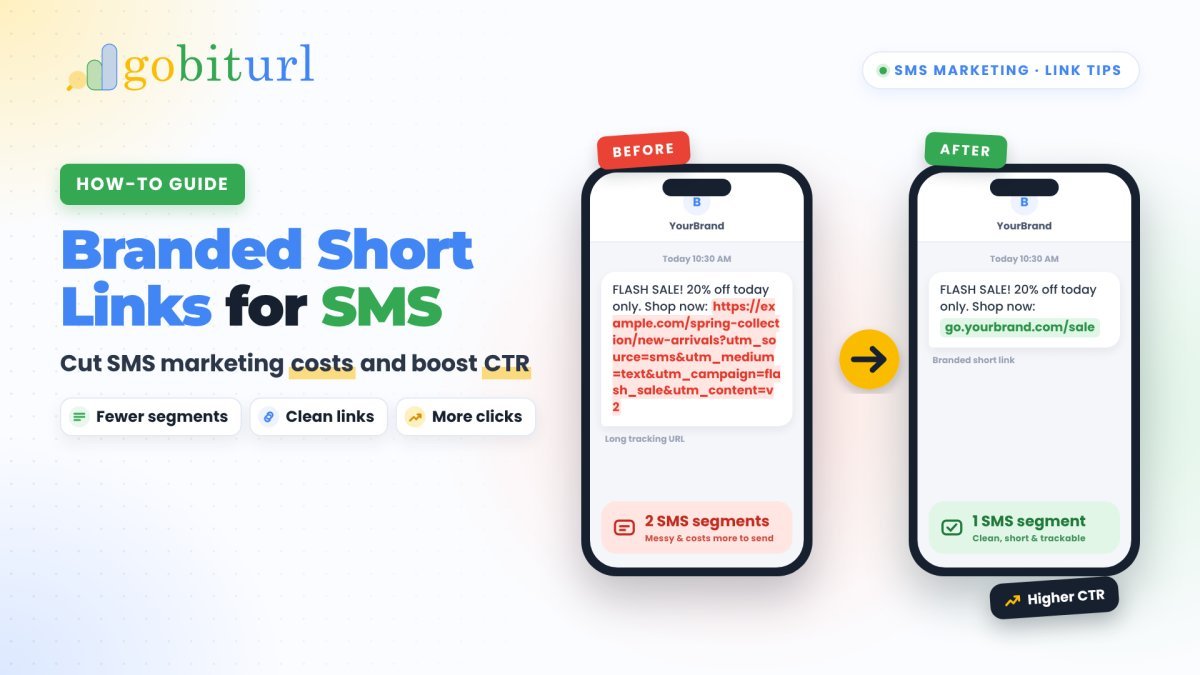
How to Use Branded Short Links to Cut SMS Marketing Costs and Boost CTR
A single unshortened URL with UTM parameters can push an SMS past the 160-character mark—instantly doubling your messaging bill while looking suspicious to recipients. Learn the exact SMS segment math and how clean short links protect your budget and increase clicks.
Best Free QR Code Generators That Don't Expire After 14 Days (2027 Comparison)
Tired of printing flyers only to have your QR code die after a 14-day free trial? Here are the best genuinely free QR code generators in 2027 that never expire.
GS1 Sunrise 2027 Explained: How Brands Can Prepare Product Packaging with 2D QR Codes
The 2027 global retail shift from traditional barcodes to 2D QR codes is almost here. Learn what GS1 Sunrise 2027 means for your brand and how to upgrade your product packaging without disrupting checkout.
Enjoyed this? Try the tool.
Shorten links, make QR codes and see who clicks — free.
0 Comments
Be the first to comment.
Leave a Comment