
How to Create a Custom Short Link for Instagram Bio & Stories (Step-by-Step Guide)
Long, cluttered URLs ruin the aesthetic of your Instagram profile and reduce audience trust. Discover how to create branded, custom short links for your Instagram bio and Stories using GoBitURL to increase click-through rates, track real-time analytics, and turn casual scrollers into loyal customers.
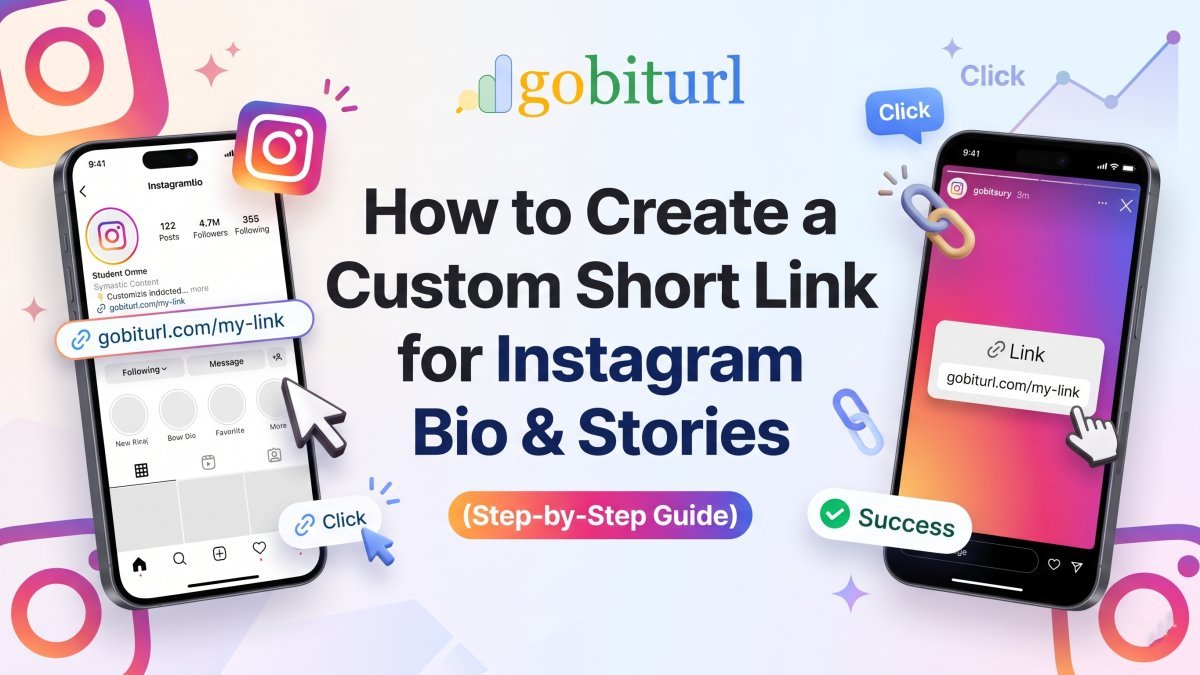
Instagram gives you very little real estate to drive traffic outside the app. Between your profile bio and your 24-hour Stories, every character and visual element counts. Yet, thousands of creators, marketers, and business owners still paste long, cluttered URLs filled with random letters, numbers, and tracking parameters directly into their profiles.
When a potential customer sees a link like [https://yourstore.com/collections/summer-sale-2026?utm_source=ig&utm_medium=social&ref=83920](https://yourstore.com/collections/summer-sale-2026?utm_source=ig&utm_medium=social&ref=83920), two things happen: it breaks the clean aesthetic of your profile, and it triggers hesitation. Long links look suspicious, get cut off with an ellipsis (...), and offer zero context about where the user is actually going.
Creating a custom short link solves this immediately. In this guide, you will learn how to create branded, high-converting short links for your Instagram bio and Stories using GoBitURL, and how to use link analytics to understand your audience better.
Why You Should Never Use Raw URLs on Instagram
Switching from standard links to custom short URLs isn't just about making your profile look neat—it directly impacts your conversion rates and marketing data.
- Higher Click-Through Rates (CTR): Clean, readable slugs (like
gobiturl.com/summer-drop) tell your audience exactly what to expect when they tap. Clarity builds trust, which leads to up to 39% more clicks compared to generic or raw URLs. - Real-Time Click Analytics: Instagram’s native analytics tell you how many people tapped your bio link, but they won't give you granular data on device types, geographic locations, or referral timings across multiple platforms. A dedicated link shortener tracks every click in real time.
- No Broken or Truncated Links: Long affiliate links or deep e-commerce URLs often get visually truncated on mobile screens. Short links fit cleanly on a single line.
- Memorable for Offline & Cross-Platform Sharing: If someone sees your link in a screenshot, a Reel, or a Story without tapping the sticker, a custom short link is easy enough to type directly into a mobile browser.
How to Create a Custom Short Link with GoBitURL
Creating a tailored link for your next post or campaign takes less than a minute. Follow these steps to generate your custom link:
Step 1: Copy Your Destination URL
Grab the full link you want to promote. This could be your latest YouTube video, a product page, a newsletter signup form, a Link-in-Bio landing page, or an affiliate product link.
(Pro Tip: If you use UTM parameters for Google Analytics, add them to your long URL now so they get tucked neatly inside the short link).
Step 2: Open GoBitURL
Head over to GoBitURL.com on your desktop or mobile browser. The interface is built for speed, allowing you to shorten links immediately without navigating cluttered menus.
Step 3: Paste and Customize Your Back-Half (Slug)
Paste your long URL into the shortener input box. Instead of settling for a random string of characters (like /x8Kp2), customize the alias (the back-half of the link) to match your promotion:
- For a YouTube Video:
gobiturl.com/new-vlog - For a Discount Code:
gobiturl.com/save20 - For a Lead Magnet:
gobiturl.com/free-ebook - For Booking Calls:
gobiturl.com/book-now
Step 4: Generate and Copy
Click the Shorten button. Your custom short URL is now live and ready to be pasted directly into Instagram.
How to Add Your Custom Short Link to Your Instagram Bio
Your Instagram bio is the main conversion hub for your profile. Here is how to optimize it with your new link:
- Open the Instagram app and go to your profile.
- Tap Edit Profile below your bio description.
- Tap Links > Add external link.
- In the URL field, paste your newly created GoBitURL short link.
- In the Title field, add a clear call-to-action (e.g., "Shop the Autumn Collection" or "Download the Free Guide"). Note: Even though Instagram allows link titles, users still see the raw URL preview when tapping or viewing on certain devices—having a clean
gobiturl.comlink ensures consistency everywhere. - Tap Done (or the checkmark icon) to save.
Bio Optimization Tip: Don't let your link sit there silently. Use the last line of your bio text to point directly to your link with an action verb and an arrow emoji (e.g., "👇 Grab my free workout template below:").
How to Use Custom Short Links in Instagram Stories
Gone are the days when you needed 10,000 followers to use the "Swipe Up" feature. Today, every Instagram account has access to the Link Sticker in Stories. Here is how to make your Story links convert:
- Create or upload your Story photo or video in the Instagram app.
- Tap the Sticker icon (the smiling square) at the top of the screen.
- Select the LINK sticker from the menu.
- Paste your GoBitURL short link into the URL field.
- Customize the Sticker Text: While you can add custom text to the sticker (like "Tap to Shop"), many creators leave the custom short URL visible if the slug itself is a strong call-to-action (like
gobiturl.com/flash-sale). - Tap Done, place the sticker in an easy-to-tap area (avoid the very bottom or top edges of the screen where Instagram UI elements sit), and publish your Story.
Why Use a Shortener If Instagram Has Sticker Text?
Even if you hide the URL behind custom sticker text, using a GoBitURL link inside your Story sticker lets you compare Story performance against Bio performance.
By creating two unique short links for the exact same destination page—for example, gobiturl.com/ebook-bio for your profile and gobiturl.com/ebook-story for your 24-hour Story—you can log into your GoBitURL dashboard and see exactly which placement drove more traffic and sales.
5 Best Practices for High-Converting Instagram Links
To get the maximum return from every link you share, keep these five rules in mind:
- Keep Slugs Short and Lowercase: Avoid underscores, capital letters, or complicated words in your custom alias. Simple hyphens (
my-podcast) or single words (merch) are easiest to read at a glance. - Use Action-Oriented Words: Words like
get,join,watch,shop, andclaiminside your custom slug subtly nudge followers to take action. - Create Unique Links per Campaign: Never reuse the same short link across your bio, Stories, DMs, and Reels descriptions if you want accurate tracking. Generate a fresh GoBitURL link for each placement to see which content format converts best.
- Use Short Links in Automated DMs: If you use Instagram DM automation tools (like "Comment 'LINK' and I'll DM you the guide"), always use a custom GoBitURL link in the automated message. Raw links in Instagram DMs frequently look like phishing spam; a clean short link reassures the recipient.
- Test Your Link Before Posting: Always tap your short link once in your browser after creating it to ensure the destination page loads fast and looks great on mobile screens.
Start Turning Followers Into Website Visitors Today
Every tap on Instagram is hard-earned. Don't let a messy, untrackable URL stand between your content and your conversions. Whether you are launching a new product, promoting an affiliate offer, or growing your email list, clean links build instant credibility.
Ready to upgrade your social media links? Head over to GoBitURL.com right now to create your first custom short link for free, track your real-time audience clicks, and take full control of your Instagram traffic.
Frequently asked questions
What is a custom short link, and why should I use one for Instagram?
A custom short link is a branded, shortened URL (such as [gobiturl.com/your-brand](https://gobiturl.com/your-brand)) that redirects users to your destination page. You should use them on Instagram because raw, long URLs look cluttered, get truncated on mobile screens, and reduce audience trust. Clean custom links improve click-through rates and make your profile look professional.
Is it free to create short links on GoBitURL?
Yes! You can instantly create, customize, and track your short links on GoBitURL without any hidden costs or complicated setups.
Can I track how many people click my Instagram bio link?
Yes. While Instagram provides basic profile metrics, using a dedicated shortener like GoBitURL gives you detailed real-time click analytics, including total clicks, geographic data, device breakdowns, and referral sources.
Should I use different short links for my Instagram Bio and Instagram Stories?
It is strongly recommended! By creating separate custom links for your bio (e.g., [gobiturl.com/offer-bio](https://gobiturl.com/offer-bio)) and your Stories (e.g., [gobiturl.com/offer-story](https://gobiturl.com/offer-story)), you can track which placement drives more traffic and conversions for your business.
Will custom short links affect my Instagram SEO or shadowban risk?
Not at all. Using reputable short links from GoBitURL is completely safe on Instagram and ensures your posts comply with clean link formatting practices without triggering spam filters.
Keep reading
More stories you might like.
How to Create a Short LinkedIn URL: The Ultimate Guide to Custom & Trackable Links
Tired of clunky, unprofessional LinkedIn links ruining your resume and social bios? Learn how to customize your native LinkedIn profile link and use GoBitURL to create ultra-short, trackable links for your posts, articles, and job applications.

Bitcoin Price Today in USD & INR: Market News, Live Trends, and Smart Crypto Sharing
Staying ahead of the cryptocurrency market requires tracking the Bitcoin price across both global USD benchmarks and local INR exchanges. Explore the latest Bitcoin news, current BTC price levels in Dollars and Rupees, and discover how GoBitURL helps traders and creators share cumbersome market links with clean, trackable URLs.
Short Links vs. QR Codes: Which Should You Use for D2C Packaging?
Struggling to decide between short links and QR codes for your D2C product packaging? Discover how to bridge the physical-to-digital gap, boost post-purchase engagement, and track offline conversions using GoBitURL.
Enjoyed this? Try the tool.
Shorten links, make QR codes and see who clicks — free.
0 Comments
Be the first to comment.
Leave a Comment